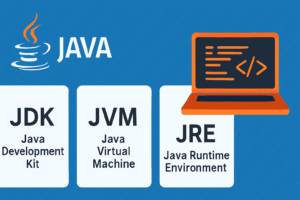
Learn the difference between JDK, JRE, and JVM in Java with this beginner’s guide.
In this guide, we’ll explain these terms in a simple and practical way ]
What is JVM (Java Virtual Machine)?
The Java Virtual Machine (JVM) runs Java programs by converting bytecode into machine-level instructions. Java developers don’t write code for a specific operating system. Instead, they write code that the JVM interprets.
Key Functions of the JVM:
-
It loads
.classfiles. -
It converts bytecode into native machine code.
-
It manages memory and performs automatic garbage collection.
-
It provides a secure runtime environment.
What is JRE (Java Runtime Environment)?
The Java Runtime Environment (JRE) contains everything needed to run Java applications — but not to develop them. It includes the JVM along with important libraries and other files.
JRE Includes:
-
Java Virtual Machine (JVM)
-
Core libraries
-
Other supporting files required at runtime
So, when users only want to run Java software (like games or apps), they can simply install the JRE.
What is JDK (Java Development Kit)?
On the other hand, the Java Development Kit (JDK) is a full-featured software development kit. It lets developers write, compile, debug, and run Java programs.
JDK Contains:
-
Everything in the JRE
-
Java Compiler (
javac) -
Development tools like
javadoc,javap, and debuggers
As a developer, you must install the JDK to build Java applications from scratch.
Quick Comparison: JDK vs JRE vs JVM
| Component | Contains | Purpose | Used By |
|---|---|---|---|
| JVM | Executes Bytecode | Runs Java apps | All users |
| JRE | JVM + Libraries | Runs apps only | End users |
| JDK | JRE + Dev Tools | Develops and runs apps | Developers |
Which Version of Java Should You Install?
As of 2025, you should consider installing Java JDK 21 (LTS) or the latest stable version. It offers better performance, long-term support, and access to modern language features.
Conclusion
To summarize:
-
Use JDK to write and build applications.
-
Use JRE to run those applications.
-
Rely on JVM to execute the code on any machine.
These components work together to make Java both powerful and flexible. By understanding their roles, you’ll become a more confident and capable Java developer.
Explore More at the5amcoder.com
Looking for more beginner-friendly Java content, Spring Boot tutorials, or DSA tips? Visit the5amcoder.com and level up your coding skills — one concept at a time.
FAQS :
-
Difference between JDK and JRE ?
-
Java Virtual Machine explained
-
Java beginner tutorial 2025
-
What is JVM in Java?
-
JDK vs JRE vs JVM interview question